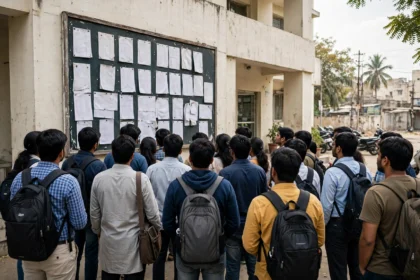



Every year, lakhs of students wait for the CBSE Class 10 and Class 12 results. The first question is always the same: where do I check it, and what do I need? The Central Board of Secondary Education publishes results on its official website, on DigiLocker and on the UMANG app, so you can check your score from a phone in a few minutes. This guide walks you through each method, step by step.
What you need before checking your result
Keep your admit card close. The result page needs these details and will not accept a name-only search.
- Roll number: printed on your admit card.
- School number: the five-digit code of your school, also on the admit card.
- Centre number: the code of your examination centre, printed on the admit card.
- Admit card ID: the number on your admit card, needed for Class 12 results.
If you have misplaced your admit card, ask your school office for your roll number.
Check CBSE result on the official website
The official result portal is cbseresults.nic.in. Results appear here first, and it is the only website you should trust for the direct link.
- Open cbseresults.nic.in in your browser.
- Click the link for your class, such as Senior School Certificate Examination (Class XII) Results or Secondary School Examination (Class X) Results.
- Enter your roll number, school number, centre number and admit card ID exactly as printed on the admit card.
- Click Submit. Your result will appear on the screen with subject-wise marks.
- Download the page as a PDF or take a printout and keep it safe.
On result day the website can slow down, since lakhs of students check at the same time. If the page does not load, wait a few minutes and try again, or use DigiLocker or UMANG instead.
Check CBSE result on DigiLocker
DigiLocker is the government’s digital document wallet, where CBSE issues digital marksheets and certificates. A DigiLocker marksheet is digitally signed and accepted by colleges and universities for admission.
- Open digilocker.gov.in or the DigiLocker app on your phone.
- Sign in with the mobile number linked to your Aadhaar, or create an account if you do not have one.
- Look for the CBSE section, or search for CBSE in the issuer list.
- Select your class and year, enter your roll number and other details, and fetch your marksheet.
- Save the digital marksheet in your DigiLocker account and download it as a PDF whenever you need it.

Check CBSE result on the UMANG app
UMANG is the government’s single app for many public services, and it also carries CBSE results. Install the app, search for CBSE under education services, choose the result service for your class, and enter your roll number and other details. Save a screenshot or PDF of your result for your records.
Check CBSE result by SMS
CBSE usually announces an SMS facility along with the result. The exact number and message format are shared in the official result announcement each year, so check the notice on cbse.gov.in before sending anything. Send your roll number in the format given in that notice, and the result arrives as a reply. Do not pay any website or agent for an SMS result.
What to do after checking your result
- Download and save the marksheet: keep both the online result printout and the DigiLocker digital marksheet.
- Collect the original marksheet: schools distribute printed marksheets after results. Ask your school for the date.
- Verification and re-evaluation: if you believe a paper was marked wrongly, CBSE opens a verification window after results, with dates, fee and process on cbse.gov.in.
- Compartment exams: students who do not clear one or two subjects can appear for compartment exams, with the schedule announced after results.
- Admissions: most colleges accept the DigiLocker digital marksheet while originals are being issued.
Common problems and quick fixes
- Website not opening: the portal is overloaded. Wait and retry, or switch to DigiLocker or UMANG.
- Incorrect details error: recheck every digit against the admit card. A single wrong digit blocks the result.
- Lost roll number: your school office can provide it. Do not share personal details with unknown websites claiming to find it.
Frequently asked questions
Where is the official website to check the CBSE result?
The official result portal is cbseresults.nic.in. CBSE also publishes results on DigiLocker and the UMANG app.
Can I check my CBSE result without the admit card?
You need the roll number, school number, centre number and admit card ID from the admit card. If you have lost it, your school can share these details.
Is the DigiLocker marksheet valid for college admission?
Yes. The CBSE marksheet in DigiLocker is digitally signed and accepted by colleges and universities.
What should I do if the CBSE website is not loading on result day?
Wait a few minutes and try again, or check on DigiLocker or the UMANG app, which usually handle the load better.
How can I apply for rechecking or re-evaluation of my CBSE marks?
CBSE opens a verification window after results, with dates, fee and process on cbse.gov.in. Apply through the CBSE portal within that window.
Checking your CBSE result takes only a few minutes once your admit card details are ready. Use the official portal, DigiLocker or UMANG, keep a copy of your marksheet safe, and always verify dates, fees and processes in the official notification on cbse.gov.in.