

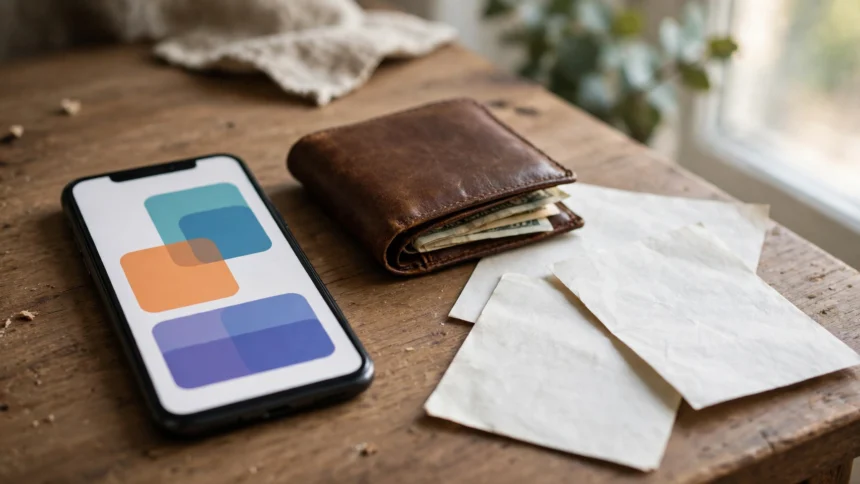
Carrying a folder of original documents everywhere is a habit most of us would happily drop. DigiLocker, the Government of India’s free digital document wallet, lets you store and download verified copies of your Aadhaar card, PAN card, driving licence, certificates and more on your phone. Because the documents come directly from the issuing authority, they carry the same validity as the originals in most situations.
This guide explains what DigiLocker is, how to create an account, and how to download your Aadhaar, PAN and driving licence step by step.
What is DigiLocker and why it matters
DigiLocker is a cloud based platform run by the Ministry of Electronics and Information Technology under the Digital India programme. It gives every Indian citizen a secure digital locker linked to their Aadhaar number. Issuing departments such as UIDAI, the Income Tax Department, the Ministry of Road Transport and Highways and state education boards push verified documents straight into your locker.
The key benefit is that these are issued documents, not scanned copies you uploaded yourself. An issued document is treated as an original by government offices, banks, airports and many private organisations, because it comes from the source department with a digital signature.
How to create a DigiLocker account
You need a mobile number linked to your Aadhaar to sign up. The process takes about five minutes.
- Go to digilocker.gov.in or install the DigiLocker app from the Google Play Store or Apple App Store.
- Click Sign Up and enter your full name, date of birth, mobile number and a six digit security PIN.
- Enter your Aadhaar number. An OTP will arrive on the mobile number linked to your Aadhaar.
- Enter the OTP to verify your identity. Your account is created and your Aadhaar details are fetched automatically.
- Set a username and password, or sign in with OTP each time.
Once your account is ready, the dashboard shows your issued documents section. You can also upload scanned copies of other papers, but uploaded documents do not carry the same verified status as issued ones.
How to download Aadhaar card from DigiLocker
- Sign in to DigiLocker and open the Issued Documents section.
- Select UIDAI, then Aadhaar Card. If it is already issued to you, it appears automatically.
- If it does not appear, choose the option to fetch the document and enter your Aadhaar number and the OTP sent to your registered mobile number.
- Click on the document to open it, then use the download option to save the PDF on your phone or computer.
The downloaded e-Aadhaar is a valid proof of identity and address.

How to download PAN card and driving licence
The process is the same for most issued documents. Open Issued Documents, pick the department, and fetch the document with the details it asks for.
- PAN card: Select the Income Tax Department, then PAN Card. Enter your PAN number, your name exactly as it appears on the card, and your date of birth. Verify with the OTP and the card appears in your locker.
- Driving licence: Select the Ministry of Road Transport and Highways, then Driving Licence. Enter your licence number and date of birth, verify with the OTP, and the licence is fetched from the transport database.
- Vehicle registration certificate: From the same department, choose Registration Certificate and enter your vehicle number to fetch the RC.
If a document fails to fetch, first check that the name and date of birth you entered match the issuing department’s records exactly. Small spelling differences are the most common reason for a failed fetch.
Other documents you can keep in DigiLocker
Beyond the big three, DigiLocker connects to a long list of issuers, including Class 10 and 12 mark sheets and certificates, university degrees, vehicle insurance and pollution certificates, income, caste and domicile certificates, vaccination certificates, and gas and electricity records.
Is a DigiLocker document valid everywhere?
In most cases, yes. The Information Technology Act recognises DigiLocker documents as valid, and the Ministry of Road Transport and Highways has directed traffic police to accept digital driving licences and registration certificates shown from DigiLocker or the mParivahan app. Banks, insurers and government offices also accept them for KYC and verification, though some private offices still ask for a physical copy out of habit.
Frequently asked questions
Is DigiLocker free to use?
Yes, DigiLocker is completely free for citizens. There is no charge for creating an account, storing documents or downloading them.
Can I use DigiLocker without Aadhaar?
You need an Aadhaar number, because the locker is linked to your Aadhaar identity and the verification OTP goes to the mobile number registered with it.
What if my name is spelled differently in two documents?
DigiLocker fetches each document from its own issuing department, so a spelling difference does not block the fetch. If a document still fails to appear, correct the details with that department first and fetch it again.
How do I delete a document from my DigiLocker?
Open the document and use the delete option. Issued documents can be fetched again later, so deleting one is not permanent.
DigiLocker saves time, paper and worry. Set it up once, fetch your key documents, and you will rarely need to hunt for the originals again. Always check the latest instructions on the official portal at digilocker.gov.in and verify the requirements in the official notification before relying on a digital document for an important application.