

Getting a driving licence in India no longer means spending a full day at the Regional Transport Office. Most of the process now happens online through the national Parivahan portal, and only the driving test itself usually needs a visit in person.
This guide covers who can apply, which documents you need, how to apply online, and what happens after your test. Fees and slots vary by state, so check the official portal before you pay anything.
Who Can Apply for a Driving Licence
For a two-wheeler without gear, you can apply at 16 with a parent or guardian’s consent. For a regular two-wheeler with gear and for a private car, the minimum age is 18. Commercial vehicle licences have higher age requirements, so check the rules for your category on the Parivahan portal.
You need a learner’s licence first. It is valid for six months, and you can apply for a permanent licence only after holding it for at least 30 days. Use that time to practise properly with an experienced driver beside you.
Documents You Will Need
Keep scanned copies ready before you start the form. The usual list includes:
- Proof of age, such as a birth certificate, school certificate, PAN card or passport
- Proof of address, such as an Aadhaar card, voter ID, passport or utility bill
- Your learner’s licence, when applying for a permanent licence
- Recent passport-size photographs, if the portal asks you to upload them
- A medical certificate in Form 1A, required for transport vehicles and for applicants above a certain age
- A self-declaration of physical fitness in Form 1 for most private vehicle categories
How to Apply Online: Step by Step
The official portal for driving licence services is Parivahan, at parivahan.gov.in. Select the Sarathi services section, choose your state, and then follow these steps:
- Select the option for a new driving licence, or for a learner’s licence if you are starting from scratch.
- Fill in your personal details exactly as they appear on your documents. Even a small spelling mismatch can cause delays later.
- Upload the scanned documents in the format and size the portal specifies.
- Book a slot for your learner’s licence test or your driving test, depending on the stage you are at.
- Pay the applicable fee online through the portal and save the receipt.
- Download and print the acknowledgement, and keep your application number safe.
Stick to the official portal only. Unofficial websites that charge extra for the same form are not part of the process.
The Learner’s Licence Test
The learner’s licence test is a computer-based, multiple-choice test on road signs, traffic rules and safe driving basics. The syllabus is public, and the portal and most state transport websites publish the question bank and a practice test.
Most people who fail do so because they skipped the road signs section, not because the test is hard.
The Driving Test
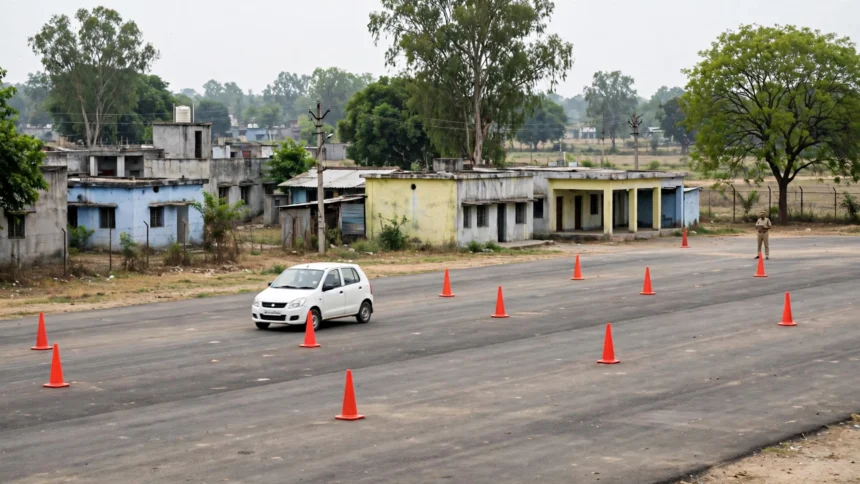
On test day, carry your original documents, your learner’s licence and the printed acknowledgement, and arrive early. For a two-wheeler, expect a figure-of-eight track; for a car, the test covers starting, stopping, reversing, parking and lane discipline.
Common reasons for failure are stalling repeatedly, not checking mirrors, and touching the track markers. Drive calmly, the way you would on a real road.
After You Pass: Delivery and Tracking
Once you pass, the RTO approves your application and your licence is dispatched to your registered address by post. Track it on the Parivahan portal with your application number. If delivery is delayed, contact your RTO rather than reapplying, because a second application can create a duplicate record.
Your licence also appears in DigiLocker and the mParivahan app as a valid digital document, but keep the physical card safe too.
Renewal and Common Mistakes to Avoid
A private driving licence is typically valid for 20 years or until the holder turns a certain age, whichever comes first. Renew before expiry to avoid a late fee, and update your address whenever you move.
Avoid simple mistakes: a name that differs from your other documents, a blurry scan, a missed test slot, and touts who charge for appointments that are free on the portal.
Frequently Asked Questions
Can I apply for a driving licence fully online? You can apply, upload documents, pay and book slots online, but the driving test itself is conducted in person at the RTO or a designated track.
How long does a learner’s licence take? If you clear the learner’s test, the licence is usually issued quickly, often on the same day or within a few working days, depending on your RTO.
What if I fail the driving test? You can reappear after the waiting period set by your state, usually a few days, by booking a fresh slot and paying the retest fee shown on the portal.
Is a DigiLocker licence valid? Yes, a driving licence in DigiLocker or mParivahan is a legally recognised digital document, though carrying the physical card remains a safe habit.
Which is the official website to apply? The national portal is parivahan.gov.in, under its Sarathi driving licence services. Always verify the current fee, documents and slot rules there or in the official notification for your state before applying.
Prepare your documents, practise for the tests, use only the official portal, and verify the latest requirements in the official notification before you apply.