

Your JEE Main admit card is the one document you cannot walk into the exam hall without. No admit card, no entry, no matter how well you prepared. The good news is that downloading it takes less than five minutes once you know exactly where to click and what to keep ready. This guide walks you through the full process, from logging in on the official NTA portal to the exam day checklist, with the common mistakes that cost candidates their slot every session.
- What Is the JEE Main Admit Card
- Documents and Details to Keep Ready
- How to Download the JEE Main Admit Card: Step by Step
- A Worked Example: Downloading Without the Password
- Common Mistakes and How to Avoid Them
- What to Carry on Exam Day
- What to Do If the Admit Card Does Not Download
- Frequently Asked Questions
What Is the JEE Main Admit Card
The admit card is your official hall ticket for the Joint Entrance Examination (Main), conducted by the National Testing Agency (NTA). It confirms your identity and carries the details the exam centre will check at the gate: your name, photograph, signature, roll number, exam date, shift timing, paper, and the address of your allotted centre. It also carries the exam day instructions you are expected to follow. The admit card is released online only. NTA does not send it by post or email, so downloading it from the official portal is your responsibility.
Do not confuse the admit card with the exam city intimation slip. The city slip comes first and only tells you which city your centre is in, so you can plan travel. The admit card comes later, usually a few days before your exam date, and carries the exact centre address and shift. You need the admit card, not the city slip, to enter the hall.
Documents and Details to Keep Ready
Keep these within reach before you start, so the download is a single smooth pass:
- Application number: the number generated when you submitted the JEE Main form. It is in the confirmation page and the email or SMS you received after applying.
- Date of birth: exactly as entered in the application form.
- Password or security PIN: the password you created during registration, or the security question answer if you chose that login option.
- A valid photo ID: Aadhaar card, PAN card, passport, voter ID or driving licence. You will need the original on exam day, and the name on it must match the admit card.
- A printer or a print shop nearby: the admit card must be printed. A phone screenshot alone is not accepted at most centres.
- Two passport size photographs: the same photograph you uploaded in the application form, for the attendance sheet at the centre.
How to Download the JEE Main Admit Card: Step by Step
Follow these steps on the official NTA JEE Main website, jeemain.nta.ac.in. Do not use third party sites or links forwarded on messaging apps; only the official portal issues a genuine admit card.
- Step 1: Open jeemain.nta.ac.in in your browser and look for the admit card download link on the homepage, usually under the candidate activity or latest news section.
- Step 2: Click the link. You will reach a login page with two or three options: login through application number and password, through application number and date of birth, or through application number and security PIN.
- Step 3: Choose the option you are most confident about. Most candidates use application number plus date of birth, since it needs nothing you could have forgotten.
- Step 4: Enter your application number and date of birth carefully, fill in the security captcha shown on screen, and click submit.
- Step 5: Your admit card will appear on screen. Check every detail before downloading: your name spelling, photograph, signature, exam date, shift, paper and centre address.
- Step 6: Click download to save the PDF, then print it on clean A4 paper. Print two copies and keep one as a spare in a separate bag or folder.
A Worked Example: Downloading Without the Password
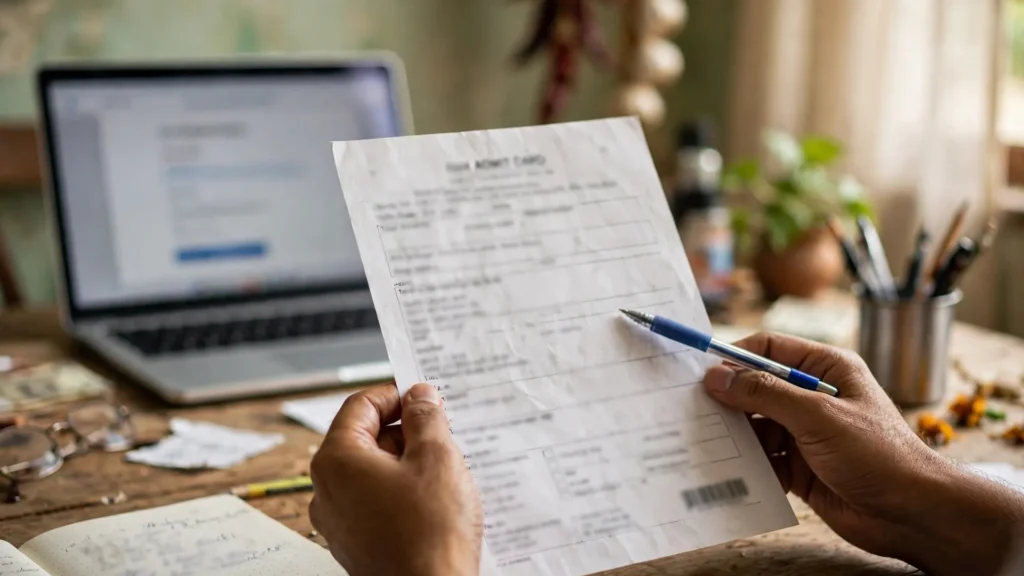
Suppose you applied months ago and cannot remember the password you set. Here is exactly what to do, because this is the single most common situation on admit card day.
First, do not keep guessing the password. Repeated wrong attempts can lock the login temporarily, and that is the last thing you need on a deadline day. On the login page, choose the application number and date of birth option instead of the password option. Your date of birth is fixed and you know it. Enter the application number from your confirmation page. If you have lost that too, use the “Forgot Application Number” link on the portal, which recovers it using your registered email and mobile number.
Once logged in, download the PDF and check the photograph first. If the photograph looks blurred or is not yours, do not print it and walk away. Contact the NTA helpdesk through the contact details on the official website and raise the issue the same day, keeping a screenshot of the error as proof.
Common Mistakes and How to Avoid Them
Most admit card problems are avoidable. These are the ones that appear every session:
- Waiting until the last evening: the portal slows down sharply as the exam approaches, and a server error at midnight is not something you can fix. Download the card the day it is released.
- Printing a phone screenshot: a screenshot can crop the barcode or the instructions at the bottom. Always download the PDF and print from the file.
- Ignoring a name mismatch: if the admit card spells your name differently from your photo ID, the centre can refuse entry. Get it corrected through the NTA helpdesk before exam day, and carry the correction proof with you.
- Using a fake download link: links shared on social media or messaging groups often lead to lookalike pages that harvest your application number. Type jeemain.nta.ac.in yourself in the address bar.
- Forgetting the photograph: the centre pastes your photograph on the attendance sheet. Carry two copies of the same photo you uploaded in the form.
- Skipping the instructions page: the admit card carries the reporting time, the list of banned items and the dress code. Read it once, fully, instead of discovering a rule at the gate.
What to Carry on Exam Day
Pack this the night before, not on the morning of the exam:
- Printed admit card, downloaded from the official portal.
- Original valid photo ID, with the name matching the admit card.
- Two passport size photographs, same as the one in the application form.
- A transparent water bottle and a simple transparent pen, if allowed as per the instructions on your admit card.
- Reach the centre at least an hour before the reporting time on the card. Late entry is not permitted once the gates close.
Do not carry a mobile phone, smartwatch, calculator, study material, bag or any electronic device. Centres provide no safe storage for them, and carrying a banned item can mean disqualification.
What to Do If the Admit Card Does Not Download
If the login page throws an error, work through this short checklist before panicking. First, check your application number digit by digit against the confirmation page. Second, confirm the date of birth format the portal expects. Third, clear your browser cache or try another browser. Fourth, try again after a short gap if the site is slow, since admit card release days see very heavy traffic. If the problem persists, contact the NTA helpdesk using the helpline and email given on jeemain.nta.ac.in, and keep a screenshot of the exact error message. Do not pay anyone who claims they can download the card for you.
Frequently Asked Questions
When is the JEE Main admit card released? NTA releases it online a few days before the exam date of your session. Check jeemain.nta.ac.in and the official notification for the exact release date of your session.
Can I download the admit card without my application number? You need the application number to log in, but you can recover it from the portal using the “Forgot Application Number” option and your registered email or mobile number.
Is a digital copy on my phone enough at the exam centre? No. Carry a clear printout of the admit card PDF along with your original photo ID. A phone screenshot is not accepted.
What if my photograph or signature on the admit card is wrong? Contact the NTA helpdesk immediately through the official website and follow their correction process. Do not attempt to edit the PDF yourself.
Is the exam city slip the same as the admit card? No. The city slip only tells you the exam city for travel planning. Only the admit card, with your centre address and shift, grants entry to the exam hall.
Download your admit card the day it is released, print two copies, verify every detail against your photo ID, and pack your exam day kit the night before. A calm morning starts with paperwork finished early. Always verify the dates, timings and instructions in the official notification on jeemain.nta.ac.in, since NTA updates them for every session.